
You found the perfect clip. Maybe it’s a funny skit, a life-changing recipe, or a dance trend you want to learn. You rush to save it. But instead of a shiny new video in your gallery, you get:
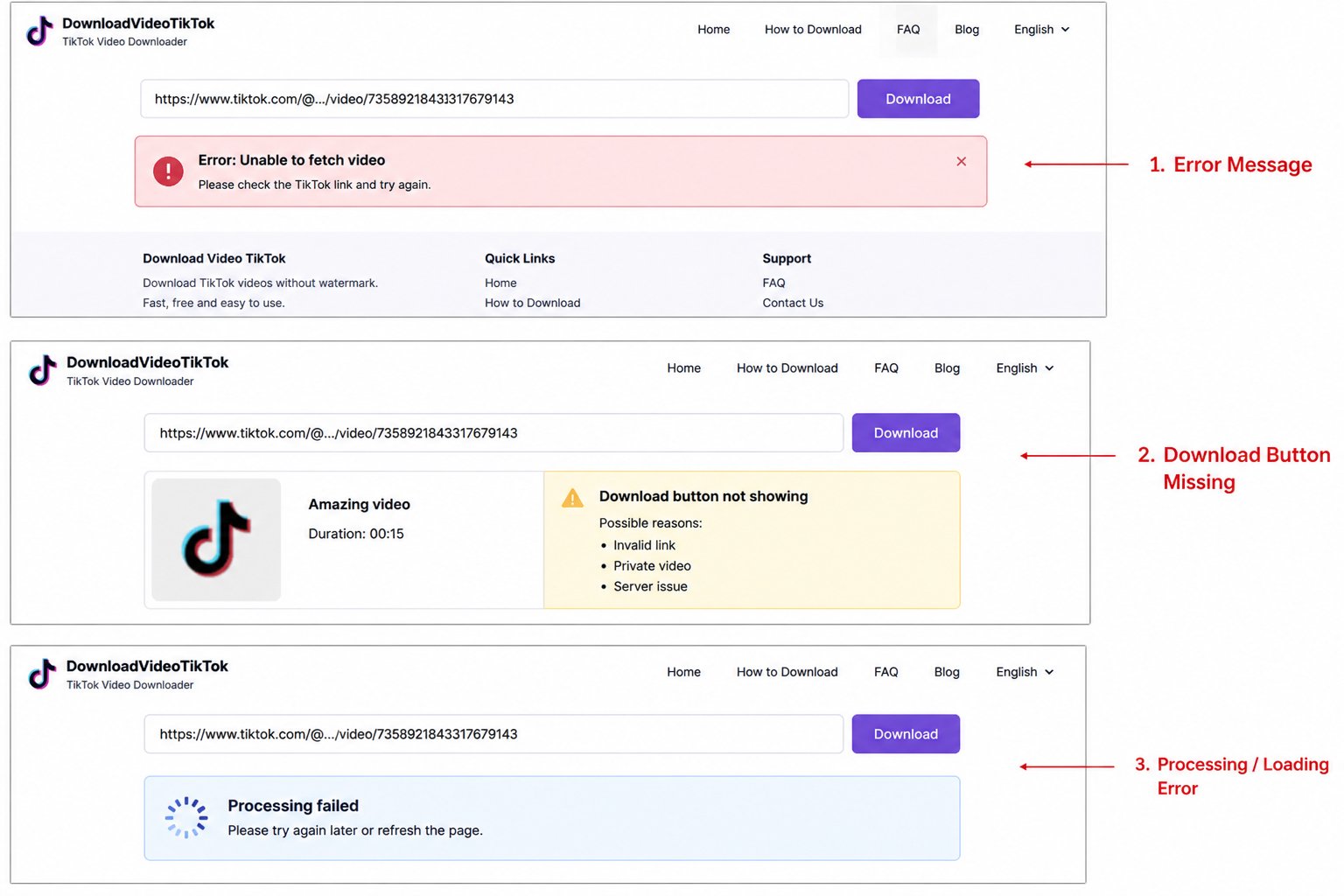
“Video download failed”
“This video is unavailable”
“User disabled download option”
Or nothing at all, just silence from your favorite tool.
I’ve been there. After helping thousands of users save content from the platform, I can tell you that most download failures are not your fault, and almost all of them are fixable in under two minutes.
In this guide, I’ll show you the seven real reasons your save attempts keep failing. No tech jargon. No fake fixes. Just honest, human solutions that work right now.
First, Let’s Understand What Happens When You Try to Save a TikTok
Before we fix anything, it helps to know what’s happening behind the scenes. When you use any online tool to download TikTok video content, here’s the simple breakdown:
- You copy a link from the TikTok app.
- The downloader fetches that link.
- TikTok’s servers send back the video file.
- The tool delivers it to your device.
If any step breaks even for a moment, you see an error. Most people think the downloader is broken. However, 80% of the time, the problem is somewhere else.
Let’s hunt down those hidden culprits.
Reason #1: The Video Is from a Private Account
This is the main reason downloads fail, and many users don’t even notice it.
If a TikTok account is set to private, only approved followers can watch its videos. The problem is that even if you follow the account, most download tools cannot access private videos. Why? They don’t log in as you. They act like a guest visitor.
Fix:
Check the video. Is there a small lock icon next to the username? That means it’s a private account. You can’t download it with any standard tool. Your options are:
– Ask the creator to make the video public.
– Screen record (respectfully, for personal use only).
Time to fix: 10 seconds to identify + up to 1 day to ask for permission.
Reason #2: The Video Has Been Deleted or Made Private
You saved a link last week. Today, you try to get the video, but it fails. What changed?
The creator may have:
– Deleted the video entirely, or
– Changed their account from public to private, or
– Set that specific video to “only me.”
Quick test: Open the link in your phone’s browser. If you see “Couldn’t find this video” or “This video is private,” no downloader can save it. It’s gone forever unless you already have a copy.
Fix for next time: Save links right after you watch a video you enjoy. Viral clips vanish quickly—sometimes within hours. I personally save valuable links the same day.
Time to fix: Not fixable once deleted. Prevention time: 30 seconds.
Reason #3: The Creator Disabled Downloading (Most Common Trap)
TikTok allows creators to easily enable downloads for their videos. When this option is OFF, the platform removes the video file from public access. Your downloader tries to get the file, but TikTok says, “No permission.”
This is different from a private account. The video can be watched publicly, but it cannot be saved.
How to know: Check for the download arrow on the video itself (right side, near the share button). If it’s missing or grayed out, the creator has disabled downloads.
Fix: You have four ethical options:
– Message the creator politely. Many will turn on downloads if you ask kindly. Try: “I love your content! Could you temporarily enable downloads on this one so I can save it offline? I promise not to repost without credit.”
– Use screen recording (built into iPhone and Android). It’s not perfect quality, but it works.
– Look for reposts. Sometimes other pages re-upload the same video with downloads enabled.
– Respect the creator’s choice. If they say no, don’t use hacking tools—many are scams.
Time to fix: 2 minutes to ask + 5 seconds to screen record.
Reason #4: Your Download Tool Is Temporarily Broken or Has Limited Access
Even the best TikTok downloader services go down sometimes. Why? TikTok changes their code frequently—sometimes multiple times a week. When this happens, all tools can break until developers fix them.
Also, if you use a free public tool and many people are downloading at the same time, the site may reach a rate limit. It may seem broken, but it’s just crowded.
Fix:
– Wait 30 minutes and try again. Many issues resolve on their own.
– Try a different tool. I’ve listed three reliable alternatives at the end of this post.
– Clear your browser cache or use incognito mode.
Pro tip: If one downloader fails, test the same link on another service. If both fail, the issue is likely with the video (see reasons #1-3). If only one fails, that tool is down.
Time to fix: 30 seconds to switch tools.
Reason #5: You’re Using a Broken or Outdated Link
Here’s a mistake I made last month. I copied a link from the TikTok app’s share menu, pasted it into a downloader, and got an error. I thought the tool was broken. But when I looked closely, the link had a line break or extra character at the end.
TikTok links look like this:
https://www.tiktok.com/@username/video/1234567890123456789
If anything is missing, changed, or cut off, the downloader can’t find the video.
Fix:
– Go back to TikTok.
– Tap Share → Copy Link again.
– Paste it into Notepad or another text app first.
– Remove any spaces or strange symbols.
– Then paste it into your downloader.
Also, check: Did you copy a link to a TikTok LIVE replay or a photo slideshow? Those often fail because they use different file formats.
Time to fix: 45 seconds.
Reason #6: Regional or Age Restrictions
Some TikTok videos are blocked in certain countries due to music licensing, copyright, or local laws. Also, videos marked “May contain sensitive content” require a login — and most downloaders don’t log in.
If you try to download TikTok content that’s restricted in your area, the server simply won’t send the file.
Fix:
– Try accessing the video through a VPN set to a different country (e.g., USA or UK if you’re in Europe).
– If the video has an age warning, log into TikTok Web on your browser, watch it once, then try downloading again. Some tools may then see your session.
Time to fix: 1 minute with VPN.
Reason #7: Your Internet Connection Is Unstable (Yes, Really)
This sounds simple, but hear me out. Many downloaders stream the video directly to your device. If your Wi-Fi drops for even a moment, the download can fail.
You might see errors like:
– “Network error”
– “Connection reset”
– “Download incomplete”
Fix:
– Switch from Wi-Fi to mobile data (or vice versa).
– Restart your router.
– Try downloading at a different time of day (when fewer people are using your network).
– Use a downloader that supports resumable downloads (this is rare for TikTok, but some paid tools offer this).
Time to fix: 2 minutes to restart your connection.
The 2-Minute Fix Checklist (Print This or Screenshot It)
When your next save fails, run through these steps in order:
| Step | Action | Time |
|---|---|---|
| 1 | Open the link in a browser. Is the video still there? | 10 sec |
| 2 | Check if the account is private (lock icon). | 5 sec |
| 3 | Look for a download arrow on the video. If missing, screen record. | 10 sec |
| 4 | Copy the link again – remove spaces or extra text. | 20 sec |
| 5 | Try a different downloader from the list below. | 30 sec |
| 6 | Switch from Wi-Fi to mobile data. | 30 sec |
| 7 | Wait 30 minutes and try again. | 30 min (do something else) |
If all 7 fail, the video is permanently lost. I’m sorry. It happens to all of us.
3 Reliable TikTok Downloaders to Keep as Backup
I don’t promote any paid tools. These are free, safe, and updated regularly:
Your own current tool (the site you already use). Keep it first.
MusicallyDown – simple, no ads, works for most public videos.
SnapTik – good for watermark-free downloads when available.
Never use:
Tools that ask for your TikTok login password (scam).
Desktop software claiming “unlimited downloads” (often malware).
Any site with too many pop-ups (your data is being sold).
Quick Answers to Your Other Download Questions
Can I download TikTok videos without a watermark?
Sometimes. If the creator enabled downloads, TikTok adds a watermark automatically. To remove it, you need a separate editing app — but that may violate the creator’s rights. Always credit them.
Why do some downloaders work on iPhone but not Android?
iOS handles video files differently. Some tools are optimized for one platform. I recommend using a web-based tiktok downloader (works on everything with a browser).
Is downloading TikTok videos illegal?
For personal use (offline viewing, learning, archiving) — generally fine. Reposting without permission is against TikTok’s rules and copyright law. When in doubt, ask first.
Can I download an entire TikTok profile at once?
No ethical tool offers this. Bulk downloading violates TikTok’s terms and can get your IP banned. Save videos one by one.
Will TikTok ban me for using downloaders?
TikTok does not track or ban users for using third-party download tools on their own content. But never use a downloader to harass, steal, or impersonate others.