
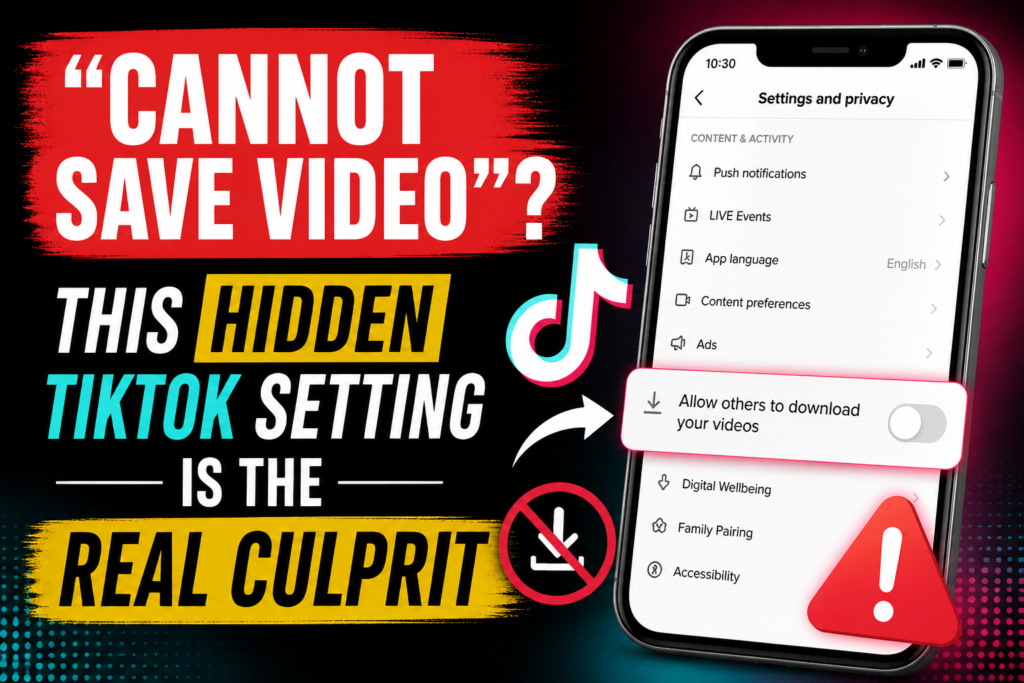
If you have ever tried to download a video from TikTok and saw the frustrating “Cannot Save Video” message, you are not alone. This issue has puzzled millions of users. What seems like a technical glitch is often a simpler problem hidden in the app settings.
In this guide, you will learn why TikTok download fails, what this hidden setting is, and how to fix it step by step. Everything is explained clearly so you can easily understand.

Why You Cannot Save TikTok Videos
Before diving into the solution, it’s important to know the real reasons behind this issue. Many users think it’s a bug, but usually, it’s not.
Here are the common reasons:
1. Video Download Option is Disabled by the Creator
TikTok gives full control to creators. If someone uploads a video and turns off downloads, you cannot save it.
2. Privacy Settings Restrict Downloads
If the account is private, downloading videos may be limited or completely blocked.
3. Region-Based Restrictions
Some videos are not available for download in certain regions due to content rules.
4. App Glitches or Bugs
Sometimes, issues come from the TikTok app itself. This can occur due to outdated versions or temporary bugs.
5. Poor Internet Connection
A weak internet connection can disrupt downloads.
The Hidden TikTok Setting That Causes the Problem
Now let’s explore the real issue.
In TikTok settings, there is an option called:
Allow others to download your videos.
If this setting is off, your videos cannot be downloaded by anyone. This is why users see the “Cannot Save Video” error.
Many people are unaware that this setting exists, which adds to the confusion.
How to Fix Cannot Save Video on TikTok
Follow these steps to resolve the problem:
Step 1: Open TikTok Settings
Go to your profile in TikTok and tap the menu icon. Then, open Settings and Privacy.
Step 2: Go to Privacy
In settings, find the Privacy section.
Step 3: Find the Downloads Option
Scroll down and look for Downloads.
Step 4: Enable the Download Option
Turn on the option that allows video downloads.
Once you do this, your videos should be easy to save.
What If You Still Cannot Download Videos
Sometimes, even after changing the setting, you may still face the issue. Here are some quick fixes:
Update the App
Ensure you are using the latest version of TikTok. Updates often fix bugs.
Clear Cache
Go to settings and clear the cache to remove temporary issues.
Restart the App
Close the app and then reopen it.
Check Internet
Switch between WiFi and mobile data to see if it helps.
Important Note About Other Users’ Videos
Even if your settings are correct, you cannot download videos if:
– The creator has disabled downloads.
– The video is private.
– The content has restrictions.
This is part of TikTok’s privacy system.
Smart Tips for Smooth TikTok Video Download
To avoid issues in the future, follow these tips:
– Always keep your app updated.
– Check download settings regularly.
– Use a stable internet connection.
– Respect creators’ privacy settings.
These steps can help you avoid frustration.
Why TikTok Limits Video Downloads
You might wonder why TikTok restricts downloads on some videos.
The answer is straightforward. It is about privacy and protecting content.
Creators want control over their videos. Some do not want their content reused without permission. TikTok supports this by allowing creators to disable downloads.
Is It Safe to Use Third-Party Downloaders?
Many websites and apps claim to help download TikTok videos even when the option is disabled.
But be cautious.
These tools may:
– Violate TikTok policies.
– Lower video quality.
– Endanger your data.
It is always best to use official methods.
Final Thoughts
The “Cannot Save Video” issue on TikTok is not as complicated as it seems. In most cases, a simple hidden setting causes the problem.
Once you understand how TikTok privacy works, everything becomes clear.
Remember, video downloads depend on your settings and the creator’s choices. Respecting these rules will help you use TikTok safely and effectively.
FAQs
Why can’t I save TikTok videos even after enabling the download option?
If you still cannot save videos, it means the creator has disabled downloads or the video has restrictions.
How can I fix the TikTok video download failed problem?
You can fix this by enabling download settings, updating the app, clearing the cache, and checking your internet connection.
Where is the download setting in TikTok?
You can find it in Settings and Privacy under the Privacy section.
Why does TikTok say cannot save video?
This occurs when downloads are turned off by you or the video creator.
Can I download TikTok videos without a watermark?
TikTok officially saves videos with a watermark. Removing it with third party tools is not advised.
Why are some TikTok videos not downloadable?
Some videos are restricted due to privacy settings or content policies.
How can I enable video downloads on TikTok?
Go to Settings and Privacy, open Privacy, find Downloads, and turn it on..